Soluce · Mission
Moses in GTA 6, scan with WAiNK and record the Lucia car
In short
- Is Register grayed out? · At Chez Moses, open Services and validate a painting in Respray. Then, return to Register to register Lucia’s car.
- The scanner remains open? · The WAiNK sheet indicates the value and protection features of the vehicle. Complete the demonstration, then go back to talk to Moses in the workshop.
At Moses’s place in Port Gellhorn, follow the WAiNK tutorial as Lucia. Hold Up on the D-pad to open the app, then hold R1 on PS5 or RB on Xbox to scan. Once you have selected the vehicle, open Services, apply Respray and confirm Register. The game confirms ownership, then installs Scooter Bros.
What to do depending on the screen in the garage?
| On the screen: | Your next move… |
|---|---|
| Stay Up-to-Date / Find Another GameSee at 5:41 | Choose “Keep Current” if you want to keep the car that Moses accepts. |
| Locking on the RegisterSee at 5:49 | Choose Respray and apply the paint. The lock will disappear. |
| Registration availableAt 6:05, see below. | Validate the registration and wait for the message that designates Lucia as the owner. |
| Notification: Scooter BrosAt 6:24, see below. | Open Lucia’s phone to access the new service. |
How to register the first car Lucia at Moses?
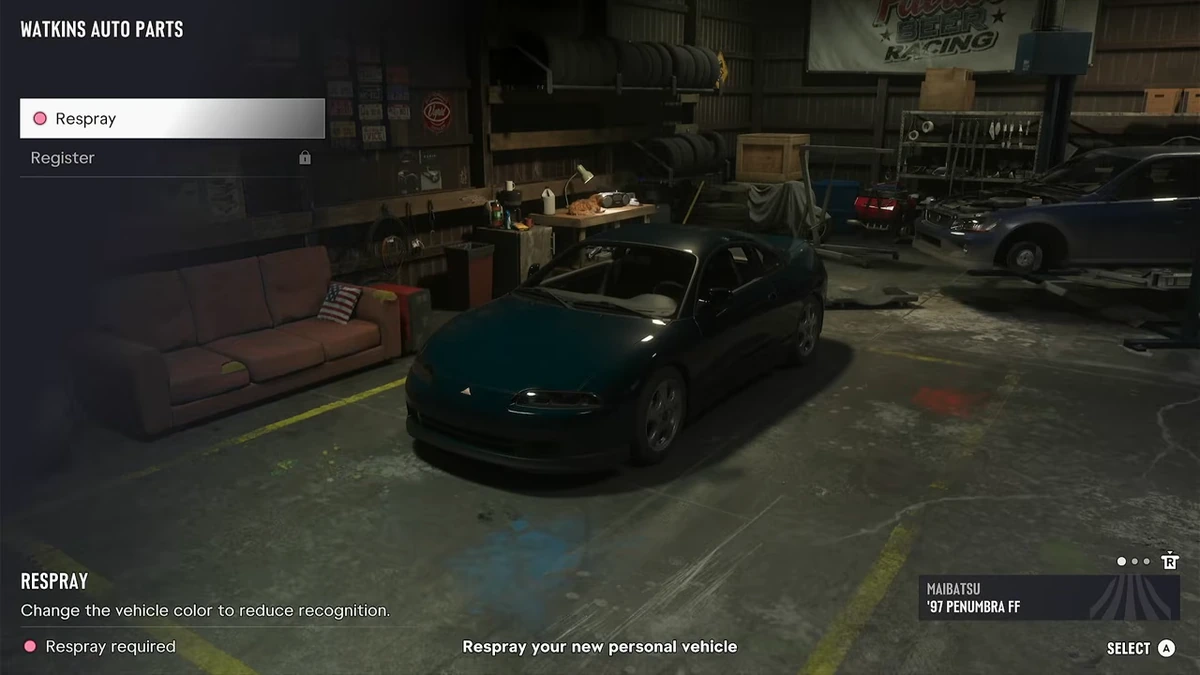
At Watkins Auto Parts, finish the WAiNK demonstration with Moses, then talk to him again in the workshop. If he accepts the car you brought and wants to keep it, choose "Keep Current." Then open "Services." In the garage menu, first confirm "Respray" to repaint the car, then select "Register." The confirmation that designates Lucia as the owner of this vehicle marks the successful registration. The game then presents him with the Scooter Bros. app.
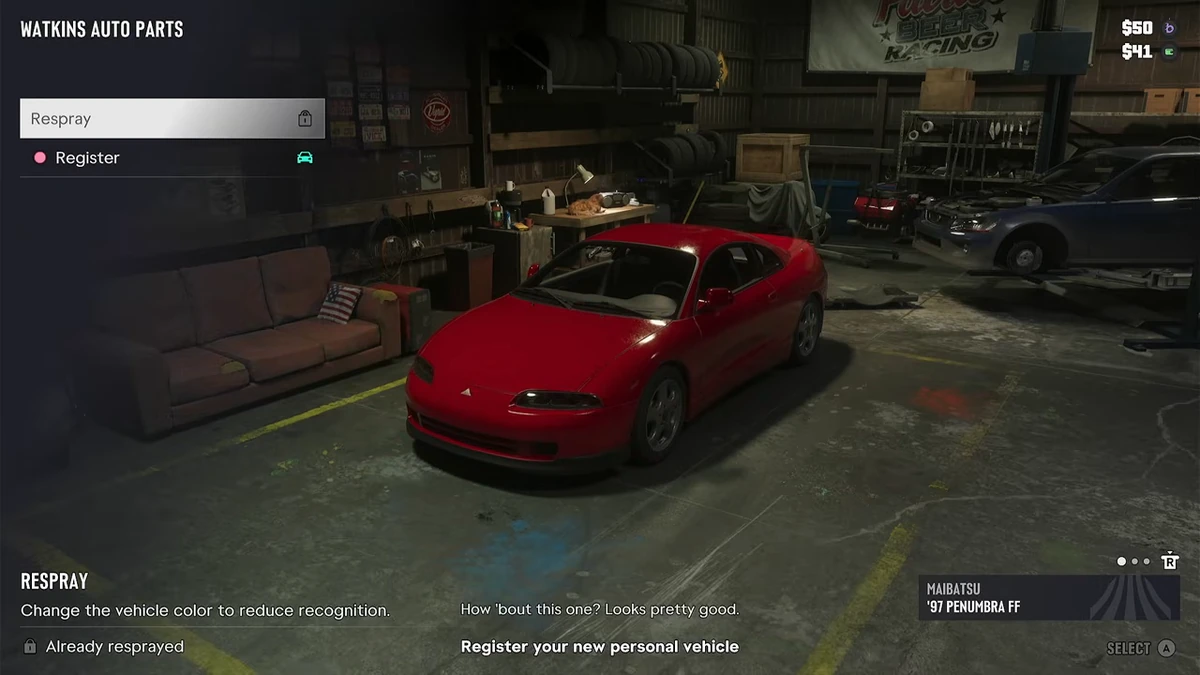
The two last commands are separate. At 5 minutes and 45 seconds into the Aquish GTA section, the first line of the menu is available and the second displays a padlock. A few seconds later, the new color is applied, and the icon next to "Register" has changed. This is the second line you need to select to proceed. If you already see Lucia on the steering wheel of a nice car in the garage, check the text on the objective under the body before leaving the menu.
This recording concerns Lucia in chapter 2. The first visit of Jason to Joey, in the previous chapter, was to get his Ganado back in working order. Both visits involve painting and a mechanic, but they end differently. At Moses, you look for a property registration, then the appearance of a new service on the phone. If you have just reached Port Gellhorn, keep the workshop name in mind. The sign on its facade reads "Watkins Auto Parts."
When does the Moses mission appear at Port Gellhorn?
The mission unlocks after Girls’ Trip. Vicki spoke to Lucia about a mechanic who could help her find her own car. Choose the activity with Lucia and join Moses's garage by car. On an English-speaking section, the label "Take a Vehicle to Moses" describes this first trip. Bring the vehicle to the workshop to start the encounter. The mechanic is busy working when you discover him, in a building cluttered with automotive equipment.
If several destinations are offered to you near Port Gellhorn, check the identity of the mission giver and the verb of the instruction. The first lesson asks you to go see Moses with a car. The case called Daily Driver comes later and has its own target. Before meeting the mechanic, you can focus on this first trip and the dialogue in the building. No specific model to be found in a large area is part of the initial instruction described here.
There are two ways to complete the end of this visit depending on the vehicle available. The Aquish GTA section shows Lucia keeping an already eligible car. The Trophy Tom section shows another car before returning to the garage. You can use the first video if the camera already suggests you keep your vehicle. If Moses sends you outside, the second route is closer to yours. Both then converge on the same painting and registration procedures.
Follow Moses in the courtyard and open the correct application
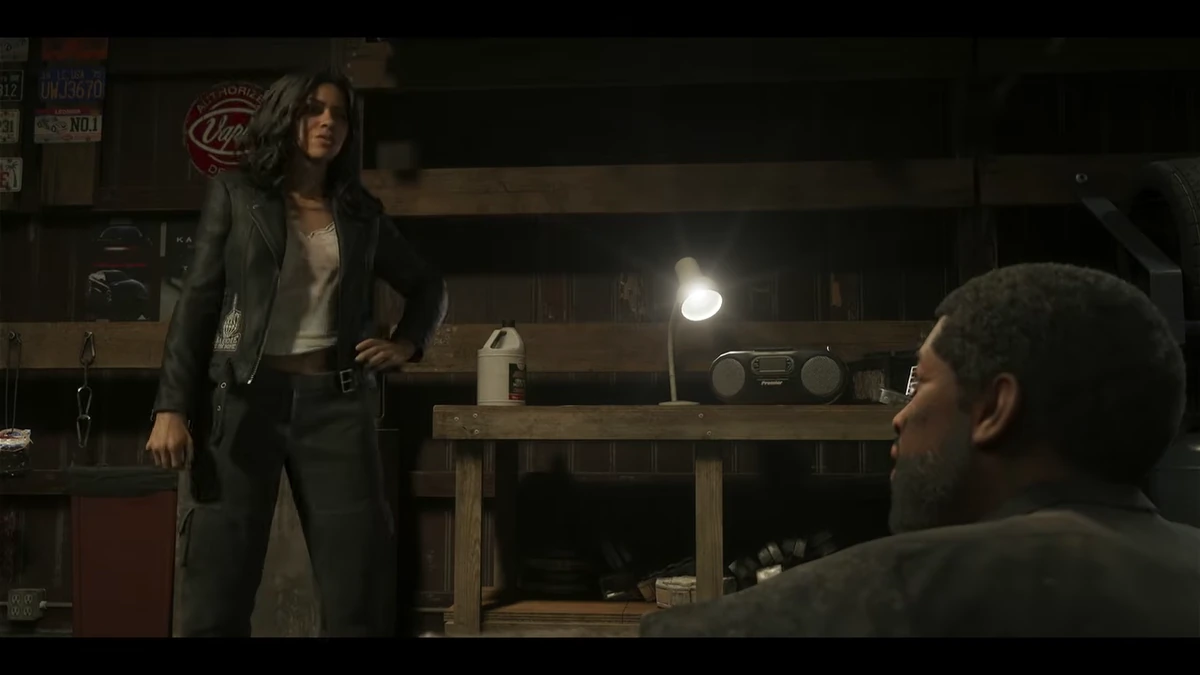
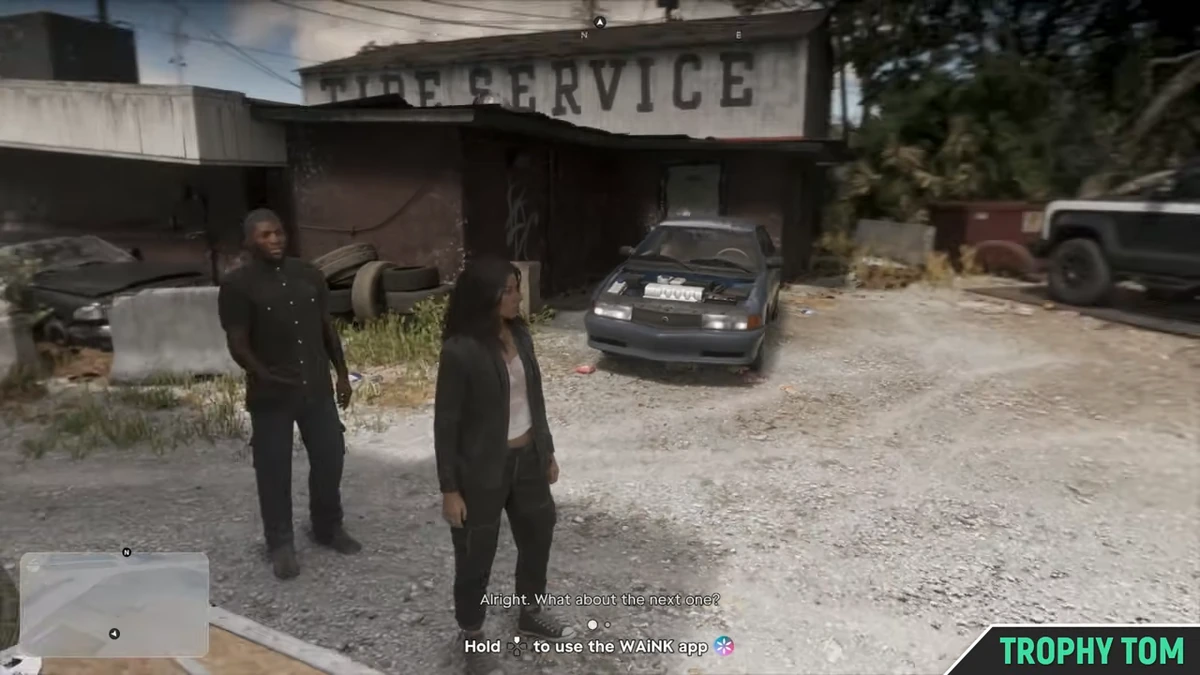
Once the maintenance has started, stay with Moses until he leaves. The workshop and the courtyard have two very different presentations. Inside, he talks to you near the tools and a workbench. Outside, cars spaced out on the gravel serve as examples. Notice the corrugated metal building, the tire stacks, and the large sign "TIRE SERVICE" in front of the demonstration area. It is these parked vehicles just a few steps away that interest the mechanic during the lesson.
When he invites you, open WAiNK with the phone of Lucia. On the setup described by PowerPyx, holding the top of the directional cross gives direct access to the app. A short press can take you to another phone display. If you're looking at an icon grid or your messages while Moses is waiting, go back to the displayed command and hold it. In the Trophy Tom video, the instruction on how to use WAiNK appears at the bottom of the screen while Lucia is still standing in the middle of the courtyard.
You don't need to get into the vehicles to examine them with this game application. Stay on foot, look in the direction indicated by the demonstration and bring the frame close to one of the cars. The benefit of staying outside with Moses is that all his examples are in the same space. If you have started driving back before he invites you to do so, return to the courtyard and wait for the scan objective. The controls will appear as the dialogue progresses.
Scan a vehicle with WAiNK on PS5 and Xbox.
Once WAiNK is open, set the indicated car frame. Hold R1 on the PlayStation configuration, or RB on Xbox, while keeping the vehicle in front of Lucia. Wait for its profile to appear. You can then turn to the next vehicle when the game asks you to. The Aquish GTA screenshot shows the beginning of this step with the instruction to keep the command above a vehicle. Another screenshot shows the complete result on the right side of the screen.
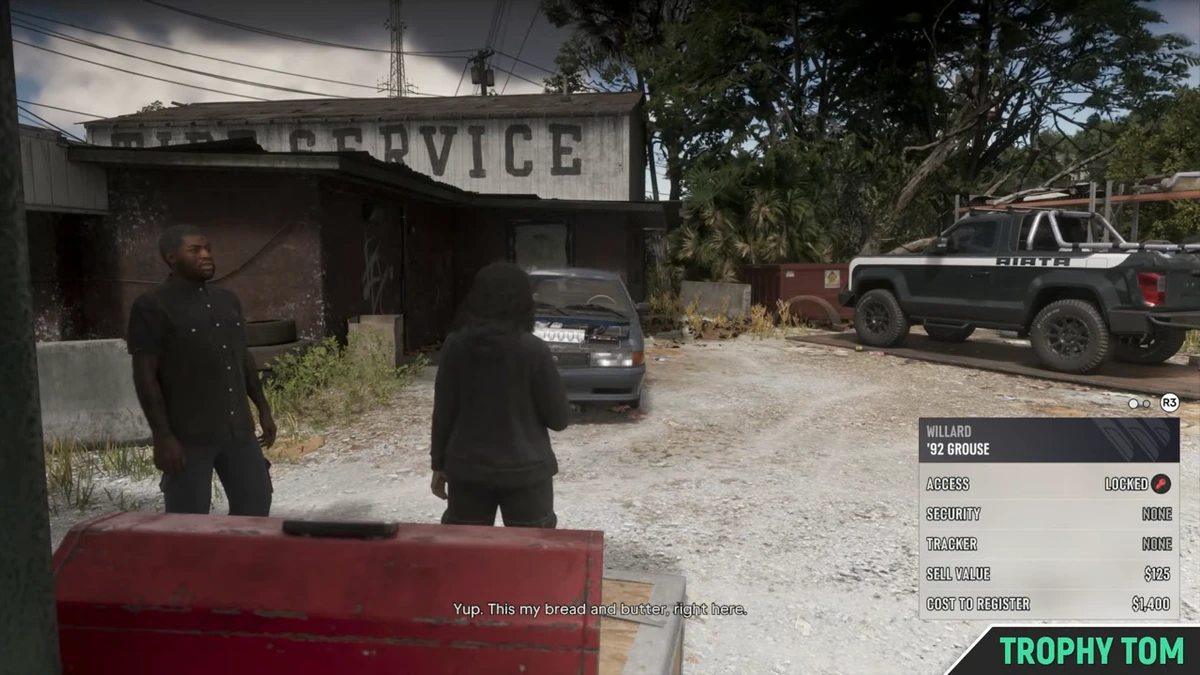
The easiest to monitor change is the model name. In the Trophy Tom section, a label indicates “Willard ’92 Grouse” when Lucia looks at the dark car parked in front of the building. A few moments later, the name “Vapid Moses’ Riata” appears when it frames the pickup truck located further to its right. These two results correspond to two different cars, even though Lucia has moved very little. So look at what the app actually identified before repeating the scan.
The game progresses this lesson in steps. After reading, let Moses speak and wait for the question related to the following vehicle. He can continue to explain the result while the worksheet is still visible. If you have just moved very quickly from one example to the next, repeat the last displayed name and wait for the next prompt. You can also release the phone camera view to see the mechanic and the entire parking lot again. The order of images in the solution sheet is precisely designed to recognize this transition from the exam to dialogue.
Read the instructions on the sheet without confusing scan and property
At the bottom right, WAiNK displays a small sheet that associates the model with several lines. It shows, among other things, access to the vehicle, its safety specifications, the "Tracker" line, the selling price, and the registration cost. This information describes the unit that Lucia has just observed. The name of the app might make you think of a camera, but the useful result here is this table. Stay with the same car for a moment to have time to read it.
To understand the garage's future proposal, focus on the "Tracker" line. The exercise presents different statuses. In the Trophy Tom section, the Willard sheet shows "None," while the pickup one shows "Standard." The game also distinguishes advanced trackers. During this mission, the vehicle eligible for registration is the one whose sheet indicates the absence of a tracker. Look at this field in your own game rather than just choosing a silhouette that resembles one in a video.
The amounts shown at the bottom of the sheet can be confusing. Viewing a value in WAiNK does not purchase anything and does not transfer the ownership of the car. Similarly, the mention that Moses might be interested in a vehicle explains a workshop service. To get the first personal car for Lucia, you still need to complete the tutorial and speak with the mechanic. Your ownership confirmation will appear in the garage, in another location on the screen.
Finish the demonstration on the Montagne XL
After the scans, join Moses near the exterior wall of the workshop. In the Trophy Tom gameplay, he is standing next to a pile of tires and a small closet. The objective changes and asks Lucia to take the demonstration object, named "Slim Jim" in the game. Look at the area near the mechanic and confirm the pickup when it is offered. If your phone remains in scan mode, exit the application to return to the normal travel and interaction invitations.
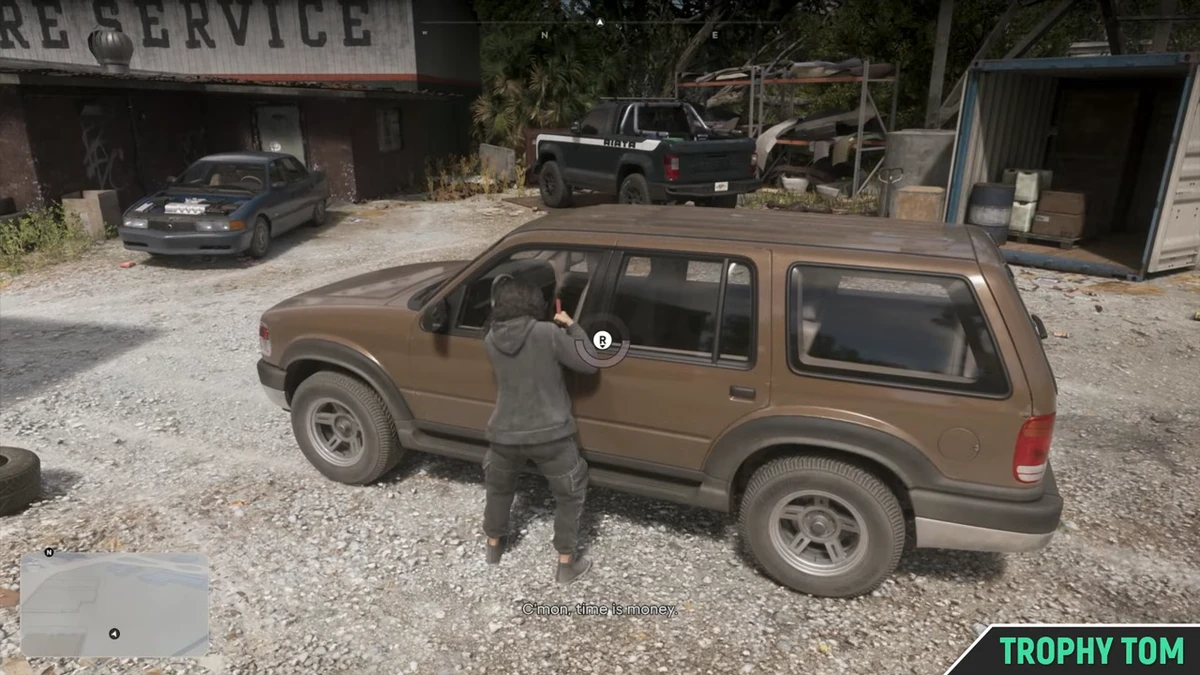
The demonstration vehicle is called Montagne XL. In the Trophy Tom section, it is the large brown vehicle parked in the courtyard. Approach Lucia near the door that the tutorial points to and start the mini-game shown on the screen. Follow the indicator and the controls on your joystick until it is validated. The 3 min 29 s screenshot shows the vehicle in profile and invites you near the door. This reference allows you to distinguish the target car from the other models you have just scanned.
Once the exercise is finished, the game asks you to follow the mechanic again. Leave the Montagne XL in the courtyard and accompany Moses towards the building. The car used for this demonstration and the one you will choose at the end of the appointment can therefore be different. In the video, the return walk passes in front of a door with an "OPEN" arrow. When you find the workbench inside, you have finished the training vehicle course and can listen to Moses's proposal.
Keep the current car or choose another one
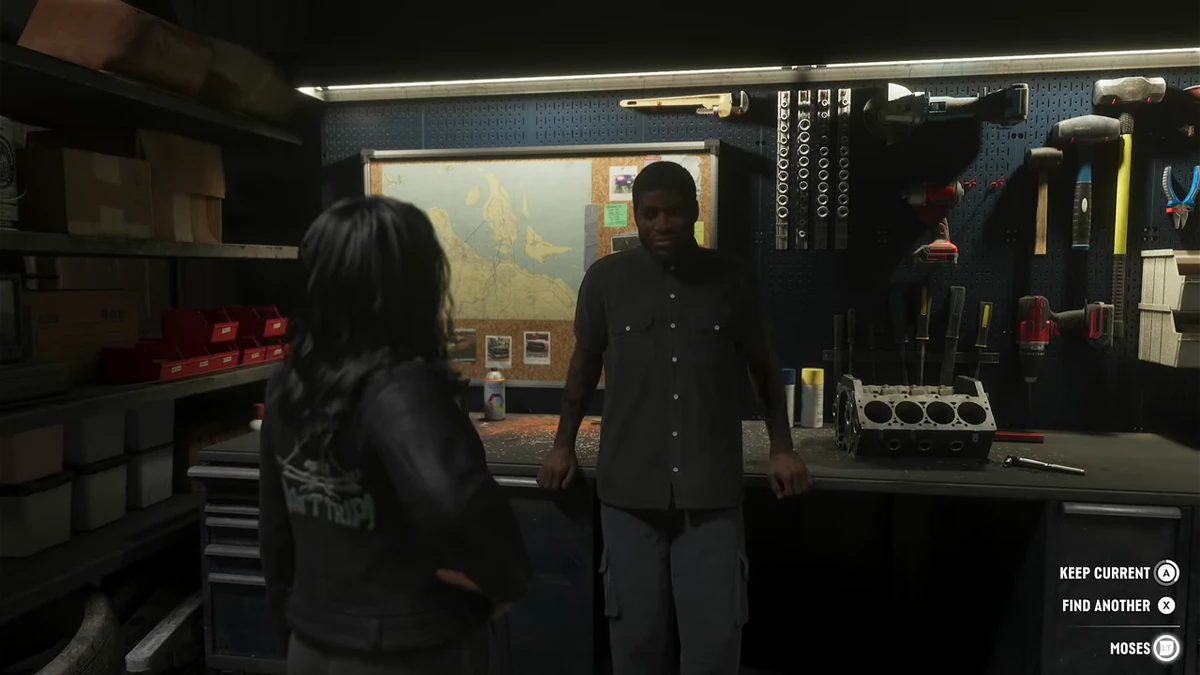
Back in the workshop, Moses leaves Lucia the choice of the vehicle she wants to register. In the English version filmed by Aquish GTA, the two options on the screen are "Keep Current" and "Find Another." The first allows you to keep the current vehicle when it's suitable for the garage. The second lets you search for another vehicle for this first registration. Look at these two options before continuing the dialogue, especially if you want the car you came with.
If the game sends you to find a compatible vehicle, follow this objective with Lucia and use WAiNK to check its profile in the game. The Trophy Tom part model appears under the name "Karin ’98 Feroci." This car illustrates an opportunity in the course. At Aquish GTA, the final menu revolves around a Maibatsu Penumbra FF. You can therefore use the eligibility indicator and the continuation of the dialogue without trying to replicate the exact brand, color, and year shown by one of these players.
When your decision is made, go to Moses and choose "Services." This is a new interaction that follows the choice to keep or change your car. In the Aquish GTA section, a prompt on the screen invites Lucia to register their new personal vehicle, while the word "Services" appears next to Moses's name. If you're just waiting for the paint screen to launch on its own, use this prompt to open the Watkins Auto Parts menu.
Why is Register gray in the garage menu?
Because the car needs to receive a new paint job first. In the workshop, the dark Penumbra capture shows the two lines of the menu on the left. The selection is on "Respray" and a padlock is still displayed next to "Register." Choose the paint and confirm it. The text at the bottom of the screen asks you to repaint your new personal vehicle. This is the instruction that concerns you at this moment, even though the final registration is your overall goal.
After the painting, the same camera angle shows a red car at Aquish GTA. The location of "Register" hasn't moved, but its condition has changed. The game now asks you to save the car. Go down this line and confirm. In the Trophy Tom part, the body ends up green, with the same ownership confirmation. You can therefore take the color you obtained in your part as an indicator of moving to the next stadium, without looking for a shade imposed by the mission.
To check if you've finished correctly, wait for the message that indicates Moses has registered you as the owner. It will appear when Lucia is still in the garage. If you're stuck between two options, compare the three consecutive images. The car is still dark with a padlock, but the paint is still there. The new color has no ownership message; you still need to select the registration. Moses's message confirming the owner, the operation is validated, and you can resume driving.
Recognize the unlocking of Scooter Bros
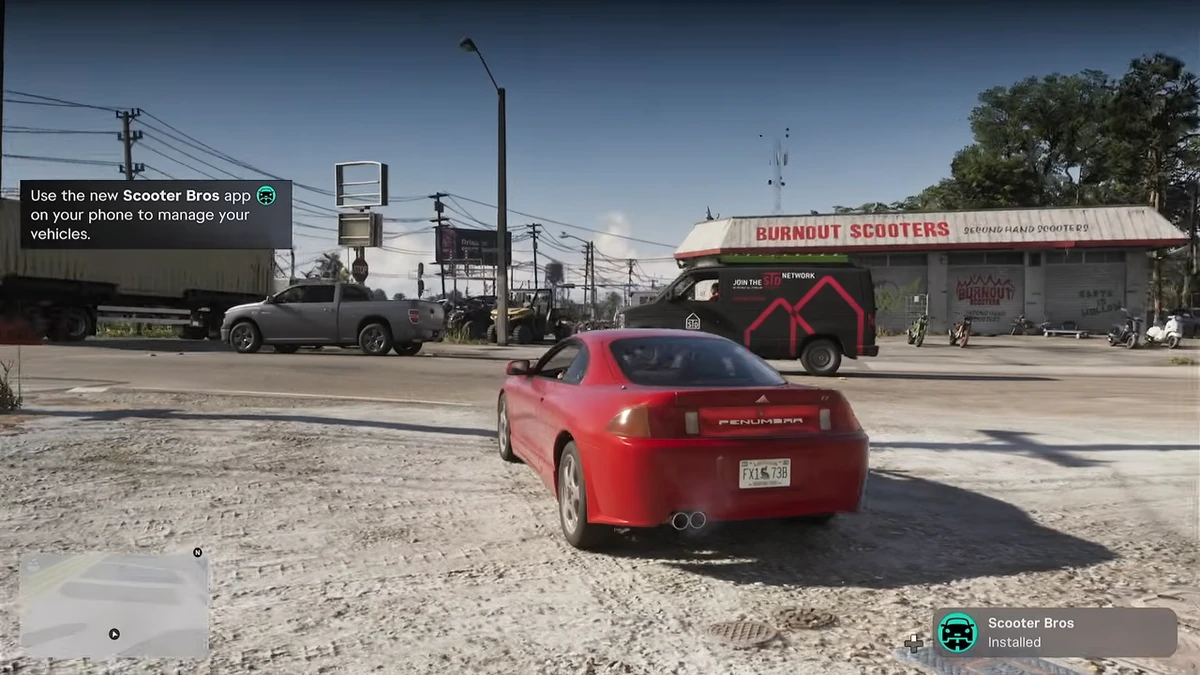
At the exit of Watkins Auto Parts, the Scooter Bros app appears on Lucia's phone. A notification accompanied by a car icon announces its installation. In the Aquish GTA section, this screen is displayed in front of the "Burnout Scooters" building, visible on the other side of the street. This coincidental backdrop can interfere with reading the last instruction. The new service opens from the phone. You can stay in your car to read the help that just appeared.
WAiNK and Scooter Bros now have two distinct roles in your game. The first one reads the model and specifications of the vehicle placed in front of Lucia. The second one is used to manage your personal vehicles after registration, particularly to request a delivery. If you resume the game several hours later and can no longer find the car's registration sheet on the street, go back to WAiNK's scan. If your question concerns the car that Moses has already registered, instead open Scooter Bros.
Frequently asked questions
How to scan a car with WAiNK in GTA 6?
During the demonstration, keep the top of the directional cross held to open WAiNK. Align the indicated vehicle frame and keep R1 on PS5 or RB on Xbox until its sheet appears.
Why is Register gray at Moses?
In Services, start by applying Respray. After the color change, the Register line will become available to register the personal vehicle of Lucia.
How to keep the car brought to Moses?
If it is eligible, select Keep Current during the dialog. Then open Services to repaint and validate Register.
How to choose another car during the Moses mission?
Choose Find Another when Moses offers to keep the current car or look for another one. Then follow the goal of returning with a suitable vehicle.
What is the purpose of Scooter Bros after the Moses mission?
The application that installs after registration allows you to manage your personal vehicles and request their delivery from your phone.